TrackMaker61MK2 – Navigation & Data Logging System for Geonics EM61-MK2 Metal Detector
EM61-MK2 Survey
The TrackMaker system for the Geonics EM61MK2 consists of two separate but fully integrated programs:
Nav61MK2 – field data acquisition and navigation software for Windows 11/10–based tablets and field laptops (For Windows Mobile/CE versions, please see Windows Mobile Programs section.)
TrackMaker61MK2 – Windows-based data-processing and XYZ-file generation program
The Geonics EM61-MK2 is a high-sensitivity time-domain electromagnetic metal detector widely used in UXO detection, clearance verification, environmental investigations, infrastructure surveys, and buried metallic object mapping.
The EM61-MK2 records data simultaneously for:
Channels 1, 2, 3, and 4, or
Channel T, depending on instrument configuration
NAV61MK2 – Field Data Acquisition & Navigation for Geonics EM61-MK2
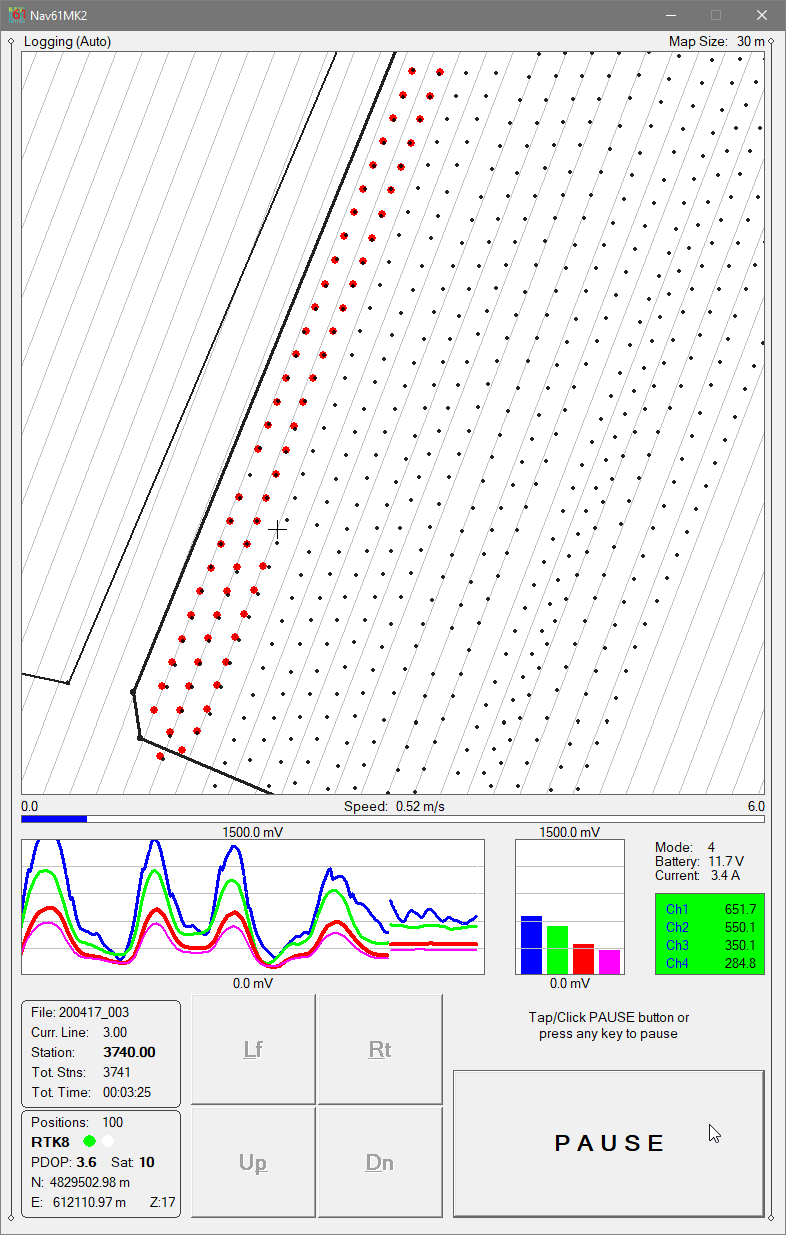
Nav61MK2 - Specifying Real-Time Map Parameters
The NAV61MK2 program provides precise navigation, real-time QA/QC, and synchronized EM61-MK2 and positioning data logging for metal-detection surveys.
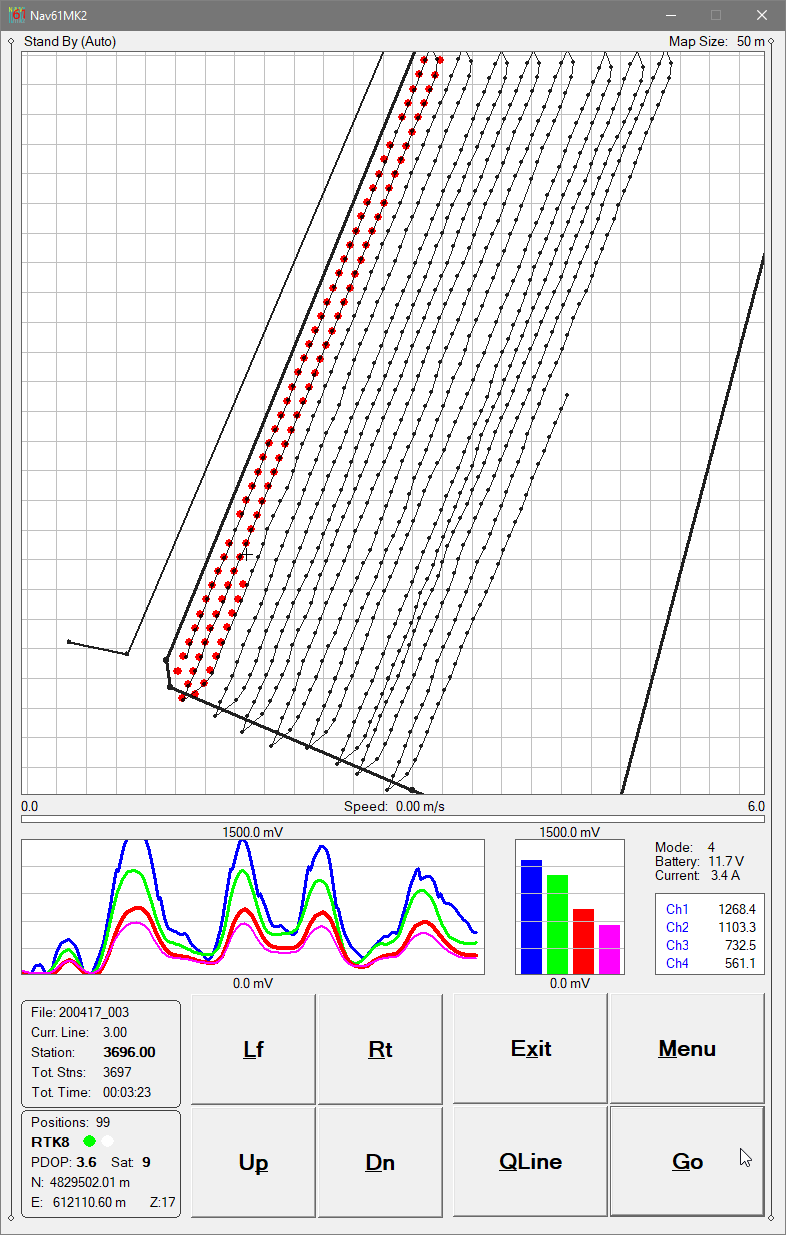
NAV61MK2 displays survey coverage using:
Dots representing individual recorded measurement stations, or
Swath bars representing the effective EM61-MK2 detector footprint (can be adjusted by the user)
This navigation-focused display gives operators continuous control over coverage density, survey-line spacing, and survey progression, helping prevent skipped areas and unnecessary overlap—critical for UXO and clearance surveys.
Navigation & Coverage Control
NAV61MK2 guides operators along uniformly spaced survey lines, enabling faster and more consistent site coverage.
Up to 10 external files (from TrackMaker61MK2 or any other TrackMaker or RTmap supported instruments) can be loaded to assist navigation and spatial context, making it easy to follow boundries, to return to previous stations, or reoccupy survey grids. An external file (prepared by using any text editor) can also be used to define survey areas, preventing data collection outside specified boundaries.
Profile View for QA/QC
Nav61MK2 - System Geometry Description
In addition to the map view, NAV61MK2 provides a Profile View of the collected EM61-MK2 data to support field QA/QC.
The program displays Channels 1–4 or Channel T as moving graphic bars and numeric values with continuous monitoring of instrument status (Battery and TX Current) and signal behavior. This allows immediate identification of noise, coupling effects, or sensor anomalies during acquisition.
GPS, RTK & Robotic Total Station Integration
NAV61MK2 works with virtually any GNSS/GPS receiver supporting NMEA messages (GGA, POS, GLL, LLQ, LLK, or GGK), and with selected robotic total stations.
The software records EM61-MK2 and positioning data simultaneously into a single synchronized field file, while monitoring key GNSS/GPS parameters including:
Latitude / Longitude or UTM coordinates
differential correction mode (DGPS, RTK)
PDOP/HDOP (or equivalent) and satellite count
user-defined GPS Warning Mask status
NAV61MK2 can also convert the field tablet or laptop into a stand-alone GPS/DGPS/RTK/RTS logger when the EM61-MK2 is disconnected, allowing mapping of site features, grid corners, or interpreted anomalies. This function eliminates the need for dedicated GPS logging equipment.
Field Reliability
NAV61MK2 supports practical field operation under demanding conditions. If survey lines are interrupted by obstacles or pauses, operators can resume at the correct location without tapes, stakes, or visual markers. Surveys can be completed reliably under low visibility or in darkness while maintaining full control over coverage and EM61-MK2 data quality.
TrackMaker61MK2 - Data Processing, Loaded Data Info and Positioning Options Menu
TrackMaker61MK2 – Data Processing Software
The TrackMaker61MK2 program processes data collected by NAV61MK2 and accurately positions EM61-MK2 readings using:
recorded GPS coordinates
GPS antenna offset geometry (any direction)
instantaneous heading and survey configuration
PDOP and differential correction filters
GPS Time Gap and GPS Minimum Interval refinement
This workflow produces high-accuracy, georeferenced datasets suitable for UXO investigations, clearance verification, metallic target mapping, environmental studies, and reporting.
TrackMaker61MK2 Demo Version (Data Acquisition Program)
Please try the Nav61MK2 demo program. The demo version operates like the standard program, except that the recorded data file is intentionally short. Monitoring mode operates indefinitely—sufficient to verify instrument communication, GPS/RTK/RTS integration, display modes, and overall performance with your system configuration.